Portable WiFi hotspot1.0
Publisher Description
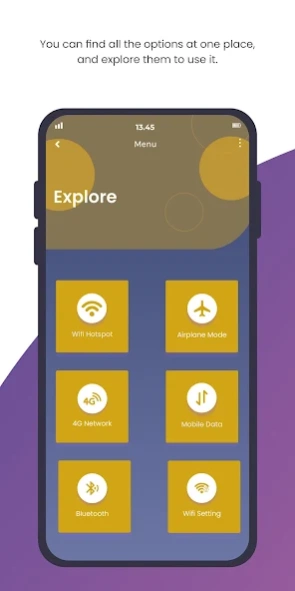
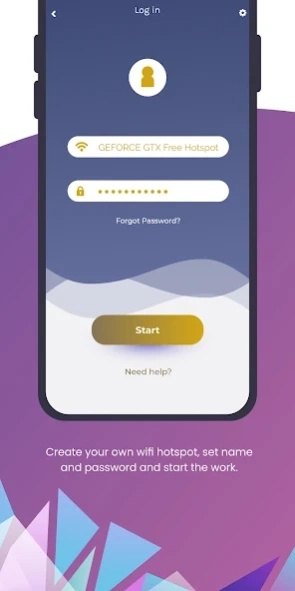
Portable WiFi hotspot that can improve your mobile computing experience.
Simple and fast Portable WiFi hotspot that can improve your mobile computing experience.
Now to turn your phone into a Mobile Hotspot with WIFI HOTSPOT, no root or tether plan is required. It is most easy, and its simple interface is usable within a click of the installation. You can turn on the WiFi Hotspot in a single click from this Android WiFi Hotspot app.
Your phones, tablets running the android operating system are able to receive wifi GPGS/3G/4G/5G On Mobile signal from this application. Create Portable Wifi Hotspot. With a simple click, you are able to share wifi connection with your friends, families, business partners and an arbitrary number of WLAN-compatible devices.
Wifi Hotspot Portable application with lightweight data storage is able to broadcast wifi, share wifi from your phone in the high-speed, secure and simple way.
This portable wifi Hotspot , which has also a widget, will allow you to turn on the portable WiFi hotspot on your Android smartphone with a touch. It is easy to use , total free and you can create your personal hotspot.
If you broadcast Wifi HotSpot network by your Mobile Phones, you can share GPGS/3G/4G/5G network with other ones, laptops, tablets and other research devices.
How to use
1) share Wifi Hotspot with many people without password and Activate your WiFi Hotspot
2) Share Wifi Hotspot with password
- Type your Wifi HotSpot name.
- Type your password.
- Click save button.
- Activate your Wifi Hotspot.
Create WIFI Hotspot to share cellular data or extend your existing WiFi connection just as a WIFI Repeater. NO TETHERING PLAN OR Tether fees required.
Support android 6 and above
No technical expertise is required for set-up.
Wifi Hotspot Portable, Portable Wifi Hotspot 5G
About Portable WiFi hotspot
The company that develops Portable WiFi hotspot is SoulApps. The latest version released by its developer is 1.0.
To install Portable WiFi hotspot on your Android device, just click the green Continue To App button above to start the installation process. The app is listed on our website since 2022-11-01 and was downloaded 17 times. We have already checked if the download link is safe, however for your own protection we recommend that you scan the downloaded app with your antivirus. Your antivirus may detect the Portable WiFi hotspot as malware as malware if the download link to com.sa.portablewifihotspot is broken.
How to install Portable WiFi hotspot on your Android device:
- Click on the Continue To App button on our website. This will redirect you to Google Play.
- Once the Portable WiFi hotspot is shown in the Google Play listing of your Android device, you can start its download and installation. Tap on the Install button located below the search bar and to the right of the app icon.
- A pop-up window with the permissions required by Portable WiFi hotspot will be shown. Click on Accept to continue the process.
- Portable WiFi hotspot will be downloaded onto your device, displaying a progress. Once the download completes, the installation will start and you'll get a notification after the installation is finished.
